BeeWarm editorial: manufacturer-based research prepared with AI assistance. No personal product test, customer installation or manufacturer affiliation is claimed.
Own a Regency U31 gas insert and notice that its usual behaviour has changed? Start with the exact model, stop using equipment that is behaving abnormally, and arrange a qualified assessment. Here is what to record and what to leave to the technician.
A different sound or a slower start deserves attention
Regency’s manual calls for annual service by a licensed gas technician. Slower startup, louder operation or new deposits warrant stopping use and arranging service sooner. These changes are observations, not a diagnosis. See page 38.
Match the U31 model before using a checklist
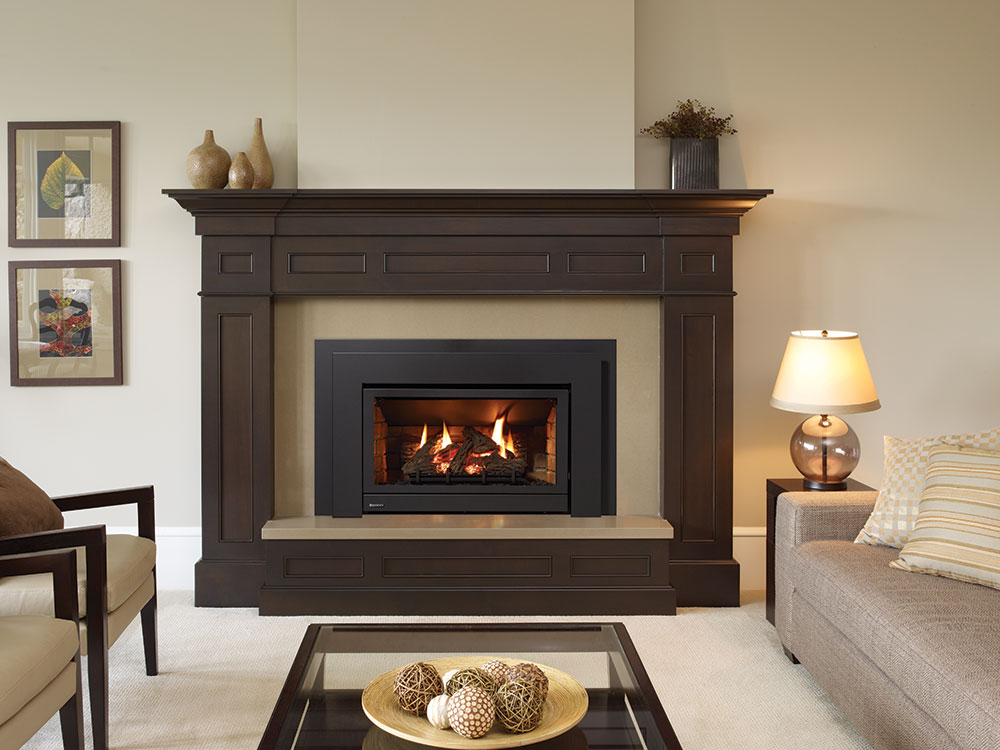
The linked manual covers U31-NG10 natural-gas and U31-LP10 propane versions. Keep the full identifier and fuel in your enquiry. Use existing paperwork or a label already safely visible; do not remove covers or move the insert to find it. If your record says U31 with a different suffix, tell Robert that rather than assuming this manual applies. Regency’s product page links the U31-10 manual and identifies the photographed U31 configuration. See the official U31 page and downloads.
Describe the change without recreating it
A useful message separates what you noticed from what you think caused it. For example: “The fan sounded louder during ordinary use last week; I stopped using the fireplace and have not tried it again.” That is an illustrative service note, not a customer case or a suggested test. Include when you first noticed the change and whether it happened once or repeatedly before use stopped. Avoid repeatedly lighting the appliance to obtain a video. A clear account of an existing observation is more useful than a guessed component name.
Keep the service boundary clear
The annual technician checklist covers internal components, venting, cleaning, gas-leak tests and technical measurements. Leave those tasks to the professional. Do not open or modify the appliance to investigate a symptom. Ask what the appointment includes and how extra repairs will be approved.
Prepare the room and the records
Gather the last service invoice, installation paperwork if available, and any previous repair notes. If a date or detail is unknown, leave it unknown. Describe the existing access: furniture nearby, stairs, a tenant’s availability or a building contact who needs to arrange entry. Ask Robert how the area should be prepared before the visit; do not shift the appliance or disconnect anything. In a strata property, identify who can authorize work and whether the appointment needs coordination with a manager. These are booking questions, not assumptions about your building’s rules.
Agree on what the visit will answer
Ask whether the requested appointment covers maintenance, assessment of the reported change, or both. Provide the exact model before the booking is accepted, and confirm whether BeeWarm can take that equipment and scope. Ask how findings, proposed parts and any further work will be explained. Do not order a fan or control solely because a noise seems to come from that area. Keep a written record of the agreed visit and the questions still open. Availability, pricing, parts and the outcome require direct confirmation; this article makes no service or warranty promise.
After the appointment, keep a useful service history
Retain the invoice and the technician’s description of completed work. Ask what observations should prompt another call and what follow-up, if any, remains outstanding. Keep recommendations separate from completed repairs so the next person reviewing the record can see the difference. A short dated note is enough: who attended, which appliance was assessed, what work was authorized and what was left for a later decision. Link that note to the full model and serial information already held in your records. It should describe actual work, never an assumed inspection.
If you smell gas, use the emergency instructions
The manual says not to light an appliance or operate electrical switches; leave the building and contact the gas supplier from outside, following its instructions. If the supplier cannot be reached, contact the fire department. Do not use an ordinary booking enquiry for a suspected gas emergency.
Plan your BeeWarm service enquiry
Send Robert your Lower Mainland city, complete model, observed change, last known service and access details. Prepare a BeeWarm enquiry or call 604-765-8424 to confirm scope and availability. For related preparation, see agreeing a fireplace service scope and records to keep before and after a visit.
Manufacturer references
- Regency U31-10 manual, pages 1 and 38
- Regency U31 official product page, model gallery and manual downloads
Sources checked November 17, 2026. The exact installed model and applicable instructions govern the service assessment. This is homeowner preparation, not an installation or internal-repair procedure.